A calm to-do list
that forgives.
Type tasks the way you'd say them. Keep today small. Your tasks are stored encrypted on your own computer.
3 days free, then $2.99 a month in the US · Mac and Windows · cancel any time
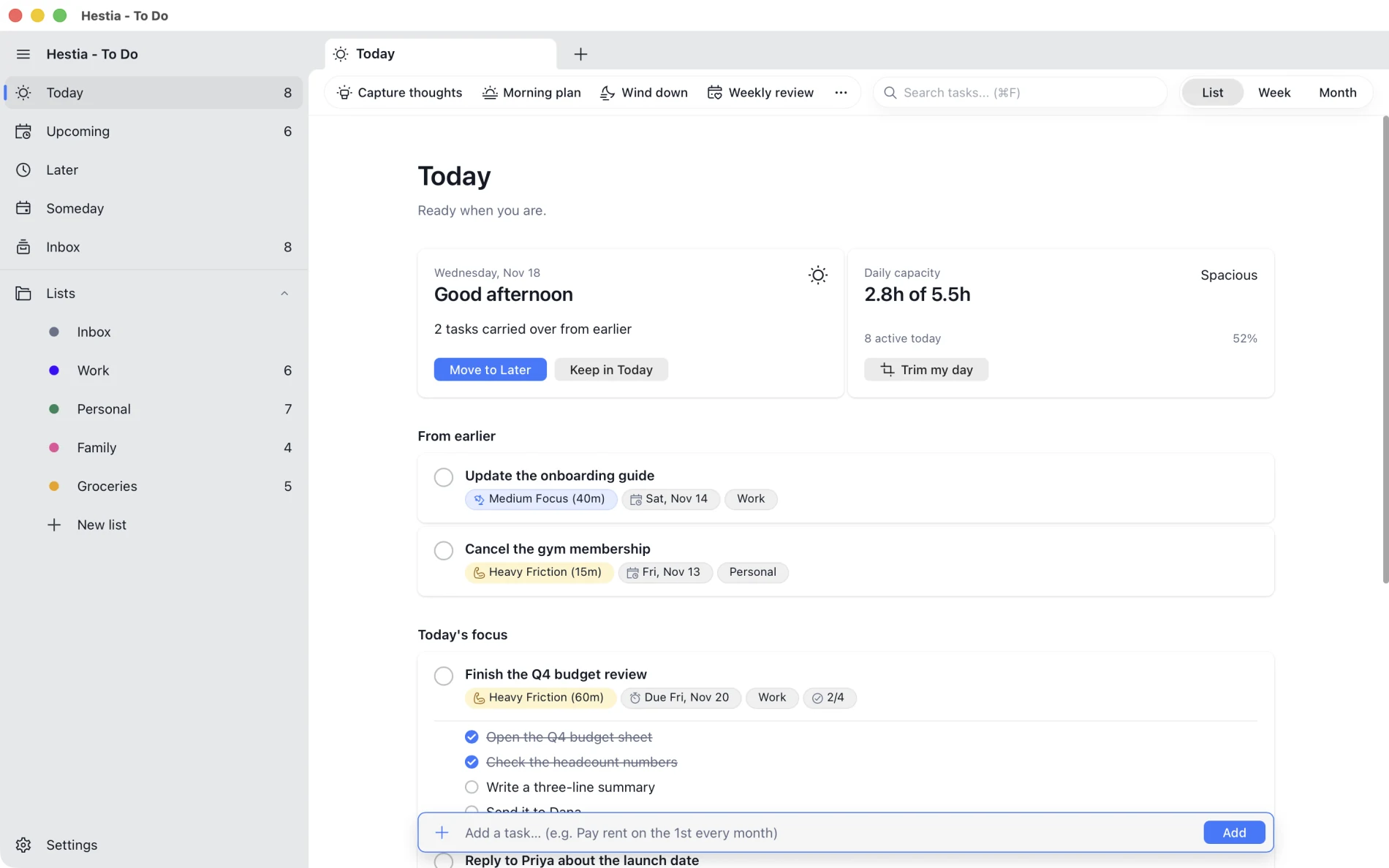
For the moments a to-do list usually makes worse.
First, get it out of your head.
If it's a chore to add a task, I won't.
Say it the way you think it.
Add a task from anywhere with a keyboard shortcut. Dates, times, @List, #tag and ~30m all work as you type.
My head is too full to plan anything.
Get it all out. Hestia sorts it.
One thought per line. You see the plan before anything is added.
Then, find where to start.
It's too big. I don't know where to start.
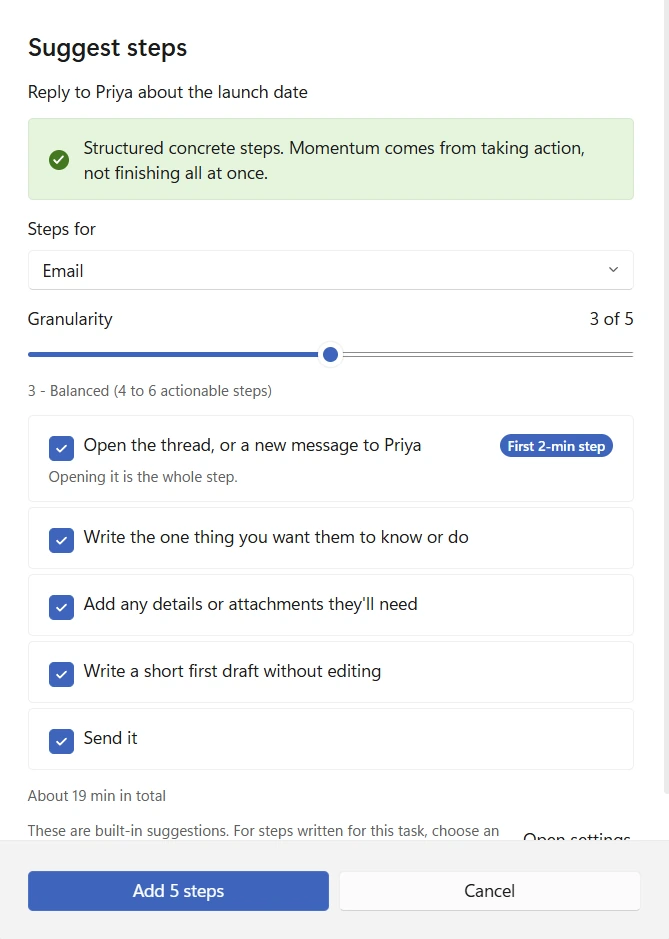
Just the first two minutes.
Hestia breaks it into steps, as few or as many as you like. No AI needed.
There's more here than fits in a day.
An honest day, not a long list.
Trim my day suggests what to move or break down. Nothing changes until you say so, and what's pinned or due soon stays.
Then, just the one thing.
I keep getting pulled away.
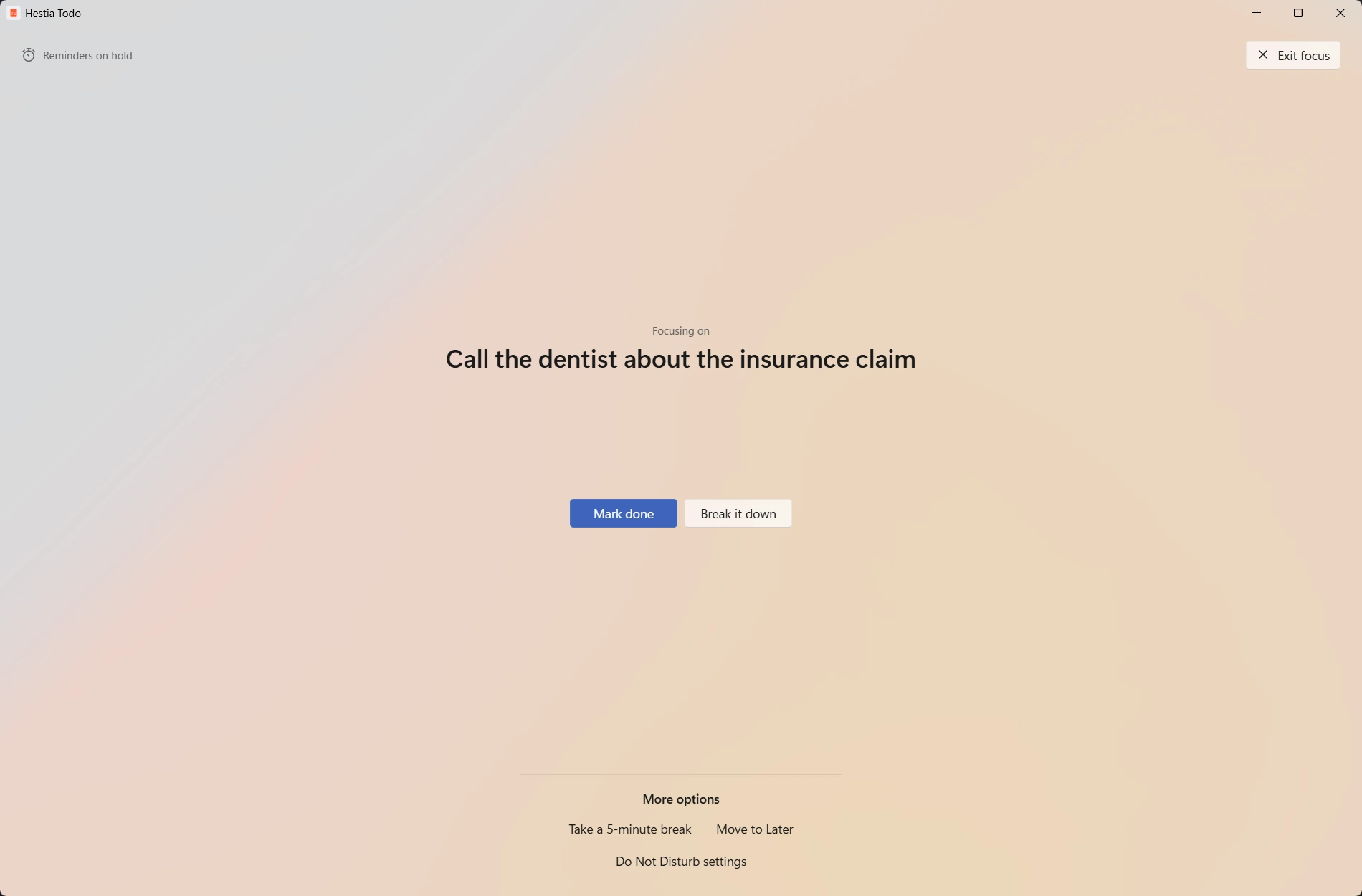
One task. Nothing else on screen.
On Windows, reminders go quietly to Notification Center while the timer runs. If it's stuck, take a break or break it down.
A rhythm, if you want one.
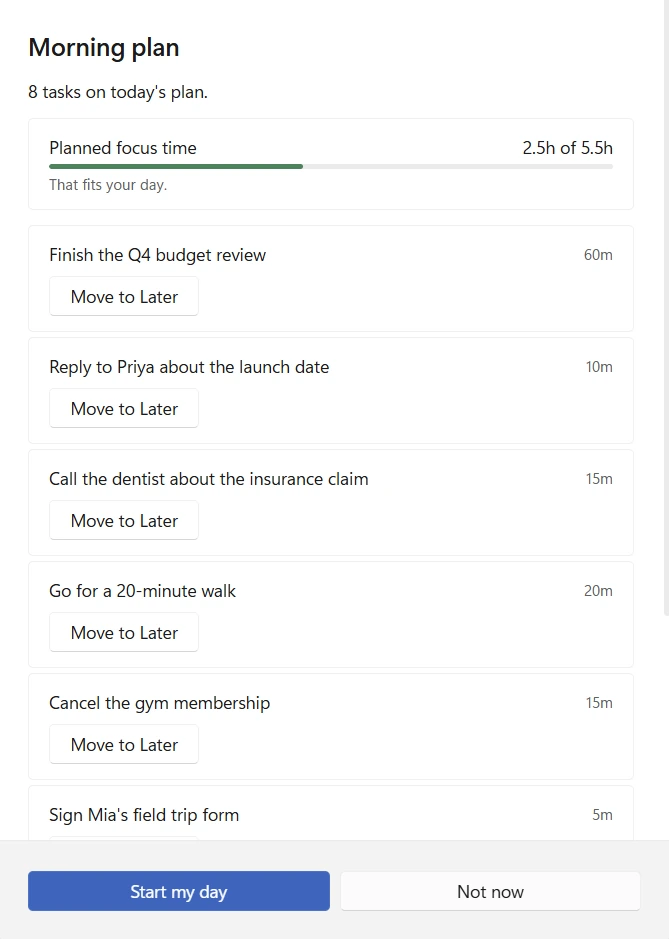
What does today really look like?
A plan that fits.
See it against the hours you have, and move anything to Later.
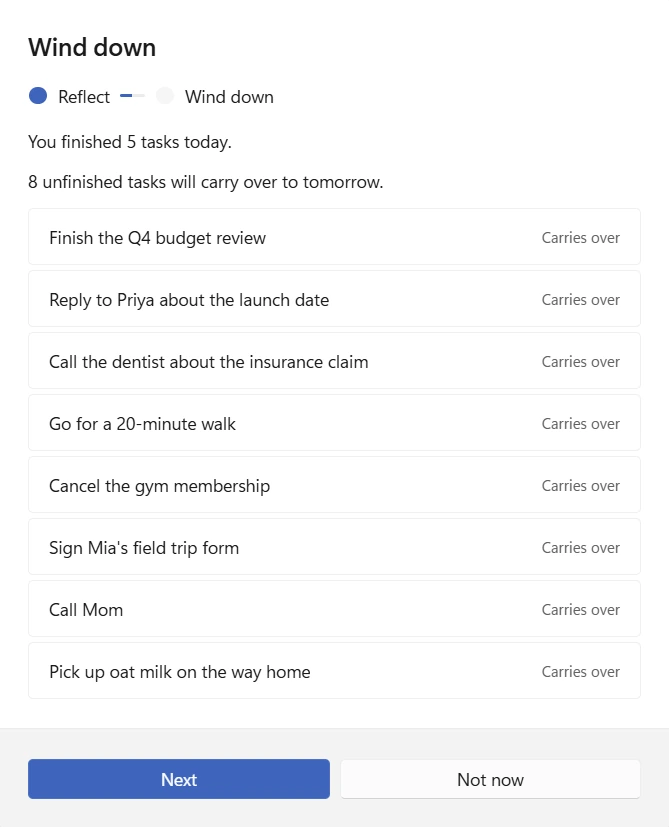
I didn't get through it all.
And that's okay.
What's left carries over to tomorrow.
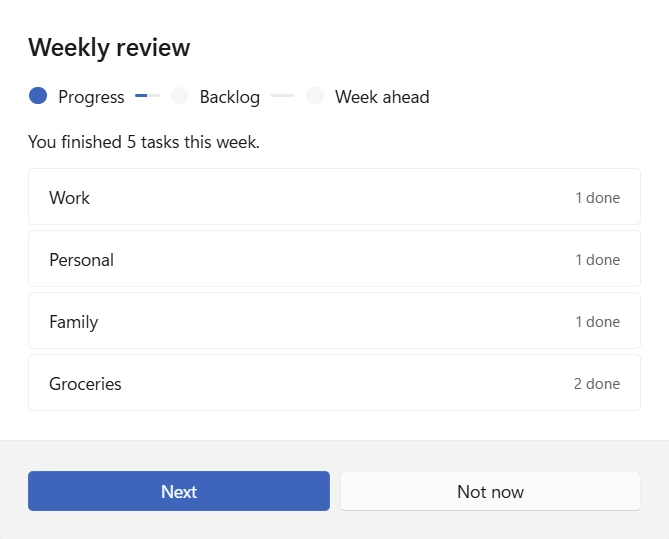
Where did the week go?
See what you did.
Your progress by list, then the backlog, then the week ahead.
And when you fall behind, it forgives.
I've been away. I can't face that list.
Welcome back. Today starts light.
No overdue count, just “From earlier”. One click moves it all to Later, and you can undo it.
I've missed it twice. Now it's stacking up.
Repeats that don't pile up.
Miss one and there's still just one task, on its next date. And “by Friday” stays a deadline, not a chore for today.
All of it, in one place.
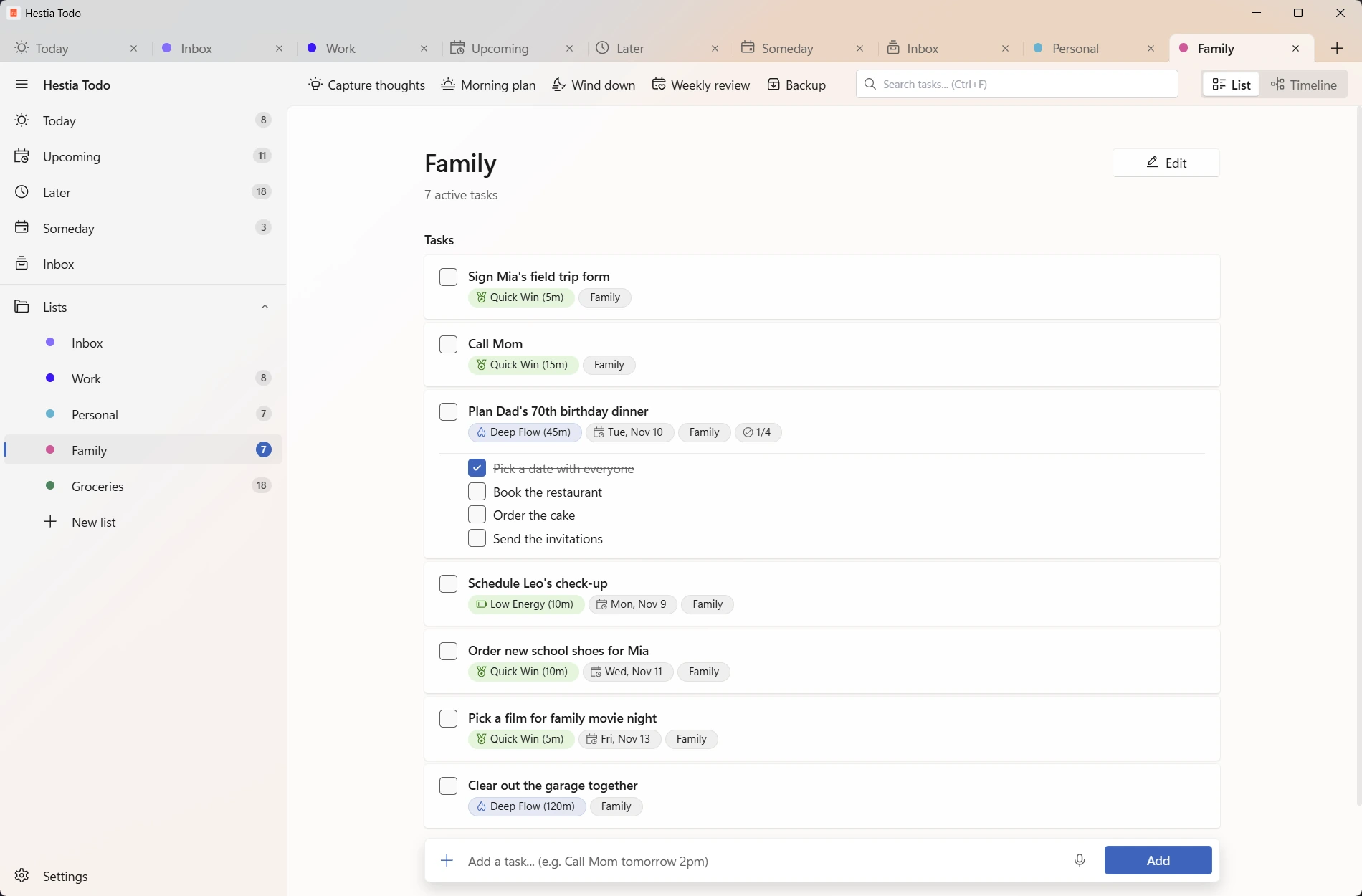
Work, home, the kids, the shopping.
Every list, one calm place.
Each list keeps its own colour, and Today can draw from all of them.
And it stays yours.
Some of this is nobody else's business.
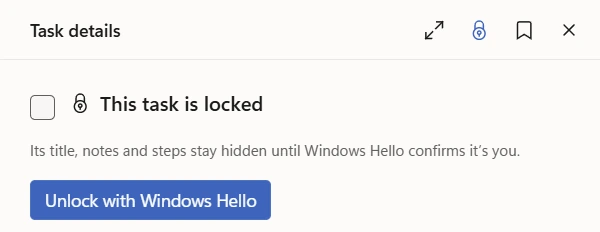
Lock a task. Hide what it says.
Its title, notes and steps stay hidden until you confirm it's you, even if someone can see your screen.
I don't want AI reading my tasks.
It works without AI.
Dates, steps, brain dumps and Trim my day run on built-in rules, on your own computer. Want suggestions written for your task? Connect your own model.
ClaudeGeminiOpenAIOllama
Switching apps feels like moving house.
Bring your list. Keep your list.
See a preview before you import, and old overdue tasks can start in Later. Export your tasks, even after your subscription ends.
TodoistTickTickThings 3Google TasksApple RemindersMarkdownCSV

We don't see your tasks.
Encrypted on your computer.
An encrypted database, with its keys protected by your operating system.
A Recovery Kit we don't keep.
We don't hold a copy of your kit or your tasks, so we can't recover them for you.
AI on your terms.
Optional, on your computer or with your own API key. We don't relay those requests.
No ads, nothing sold.
Your account holds your name, email, country, subscription and the computers you use, not your tasks. On the Mac App Store, you don't need one.
Details in our Privacy Policy.
Questions
Where are my tasks stored?
On your own computer, in an encrypted database. Your Cruxbit Labs account holds your name, email, country, subscription and the computers you use; the Mac App Store version needs no account. Your tasks aren't sent to it, and we don't hold the keys to open them.
What happens if I lose my computer or my password?
They're two different things. Your account password only signs you in, and you can reset it by email. Your tasks are opened by keys on your computer. If you set up a Recovery Kit in Settings, it can open your tasks on a new computer as long as you also have a copy of your Hestia folder. An export saved with a passphrase opens on its own. Without a copy somewhere else, your tasks can't be recovered, by you or by us.
Is there a free trial?
Yes. Your first subscription starts with 3 days free, once per account (on the Mac App Store, once per Apple Account). You add a payment method, nothing is charged today, and Hestia shows the date your first payment is due. Cancel before then and you're never charged. After the trial, Hestia is $2.99 a month in the US, and you can cancel in the app or by email, any time before your next renewal. In the EU, the EEA, the UK and Switzerland you can withdraw within 14 days of your first payment and get it back in full. On the Mac App Store, Apple handles cancelling and refunds.
What happens to my tasks if I cancel?
Cancelling doesn't delete them. Hestia keeps working until the end of the month you paid for, then locks; your tasks stay on your computer, encrypted, and come back when you subscribe again. You can still export them from the lock screen.
Do I need to be online?
To sign in, check your subscription and get updates. Between checks Hestia works offline for up to 5 days, as long as your computer's clock is right. The Mac App Store version checks with Apple on your Mac and works offline until your paid period ends. AI providers you connect need internet too.
How does the AI work?
AI is optional. Breaking a task into steps, sorting a brain dump and trimming a full day all work with Hestia's built-in rules. For suggestions written for your task, connect a model you run yourself, such as Ollama, or your own API key. Requests go from your computer to that model or provider, not through us.
How many computers can I use?
Up to 3 on one subscription, Mac and Windows mixed. Macs running the Mac App Store version don't count toward the limit. Your tasks don't sync between them: each computer keeps its own, and you can move them by export and import. Remove a computer in Settings when you replace it.
Bought Hestia on the Mac App Store?
You don't need an account. Apple bills you in your currency, and handles cancelling, refunds and receipts. Manage it in App Store settings, or in Hestia under Settings, Account. It works on every Mac you use with your Apple Account, offline too, until your paid period ends. Updates come from the App Store. To use it on Windows as well, create an account in Hestia to link it.
Why does Windows warn me when I install it?
The Windows installer isn't code-signed, so SmartScreen may ask you to confirm. The Mac app is signed by Cruxbit Labs and notarized by Apple.
$2.99 a month.
After 3 days free. Price in the US. On the Mac App Store, Apple shows the price in your currency.
One plan, on up to 3 computers, Mac and Windows mixed, plus any Mac running the App Store version. Your tasks don't sync between them.
- Works offline for up to 5 days between checks
- Cancel in the app or by email, any time before your next renewal, or through Apple on the Mac App Store. Hestia works until the month ends, and cancelling doesn't delete your tasks
- 3 days free on your first subscription, once per account: cancel before the trial ends and you're never charged. In the EU, EEA, UK and Switzerland, a full refund within 14 days of your first payment to us. On the Mac App Store, Apple handles refunds
- Downloads updates in the background and asks you to restart to install them. The Mac App Store version updates through the App Store
Requires: A Mac with Apple silicon or Intel, macOS 11 or later, or Windows 10 or 11 (64-bit). You'll sign in with a Cruxbit Labs account, the same one as Atelier. Billed monthly by Stripe; taxes may apply. The Mac App Store version needs macOS 13 or later, needs no account, and is billed by Apple in your currency.
Terms · EULA · Privacy · Cancellation and refunds · Withdraw from contract here